

Itel A49 Hard Reset by Unlock Tool – Easy Factory Reset Guide
If you forgot the PIN, Pattern, or Password on your Itel A49 and cannot access the phone, you can use a compatible Unlock Tool to perform a Factory Reset. This process erases the user data and restores the phone to its factory state.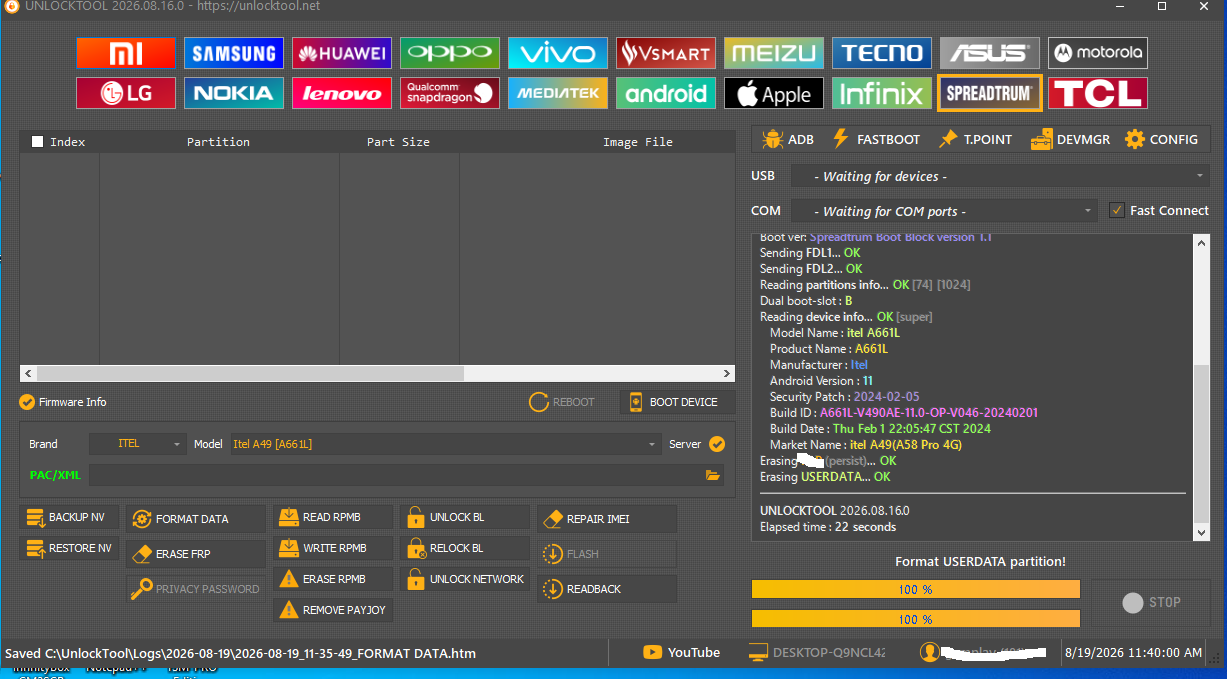
FORMAT DATA
Selected Platform : SC9832E_Bypass
Connect Testpoint or hold VOL DOWN! Instruction here!
Waiting for device...COM6 (SPRD U2S Diag)
USB : USB\VID_1782&PID_4D00\5&1A60D403&0&8
Initializing loader...OK
Protocol : SPRD3
Sending payload...OK
Sending auth data...OK
Sending preloader1...OK
Sending preloader2...OK
Booting loader, please wait...OK
Boot ver: Spreadtrum Boot Block version 1.1
Sending FDL1...OK
Sending FDL2...OK
Reading partitions info...OK [74] [1024]
Dual boot-slot : B
Reading device info...OK [super]
Model Name : itel A661L
Product Name : A661L
Manufacturer : Itel
Android Version : 11
Security Patch : 2024-02-05
Build ID : A661L-V490AE-11.0-OP-V046-20240201
Build Date : Thu Feb 1 22:05:47 CST 2024
Market Name : itel A49(A58 Pro 4G)
Erasing ........(persist)...OK
Erasing USERDATA...OK
UNLOCKTOOL 2026.08.16.0
Requirements
- Itel A49 smartphone
- Good-quality USB cable
- Windows PC or laptop
- Compatible version of Unlock Tool
- Sufficient battery charge
How to Hard Reset Itel A49 Using Unlock Tool
First, power off the Itel A49 completely.Open the Unlock Tool on your PC and select the appropriate Itel/Android section. Depending on your Unlock Tool version, the reset option may be listed as Factory Reset, Format, Erase User Data, or Reset.
Select the correct device/chipset option and follow the connection instructions shown by the tool. Connect the phone to the PC using the required key combination if the tool asks for one.
Once the tool detects the phone, start the reset process and wait until it shows a successful completion message.
After the process is completed, the Itel A49 will restart and boot into the initial Android setup screen.
Important Note
A Hard Reset will erase personal data stored on the phone, including apps, photos, files, and settings. Make sure you have a backup before performing the reset whenever possible.Factory Reset does not necessarily remove Google FRP protection. After resetting the phone, it may ask for the Google account previously synced with the device. If it is your phone, sign in using the previously used Google account.
The exact procedure can vary depending on the Itel A49 chipset, firmware version, and Unlock Tool version. Always verify the device information before starting the operation.