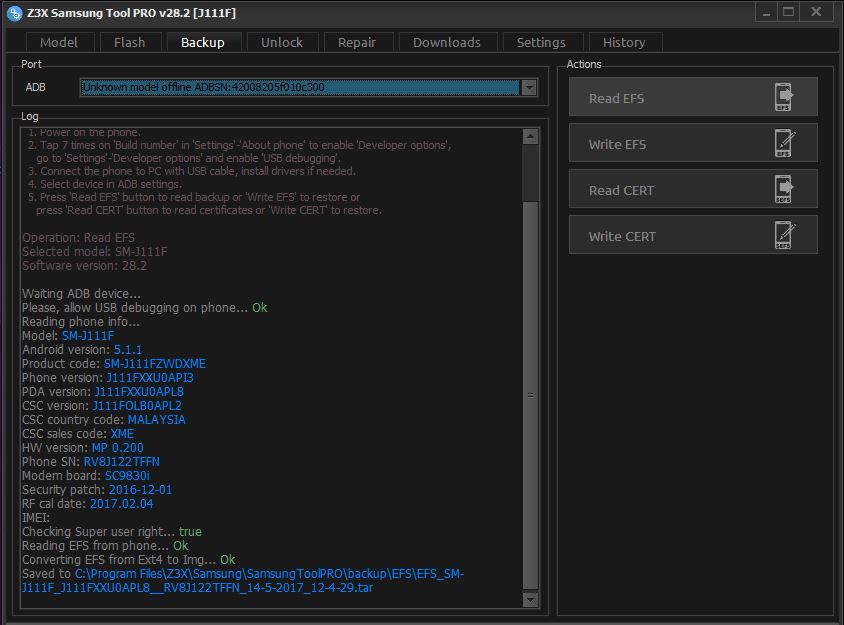
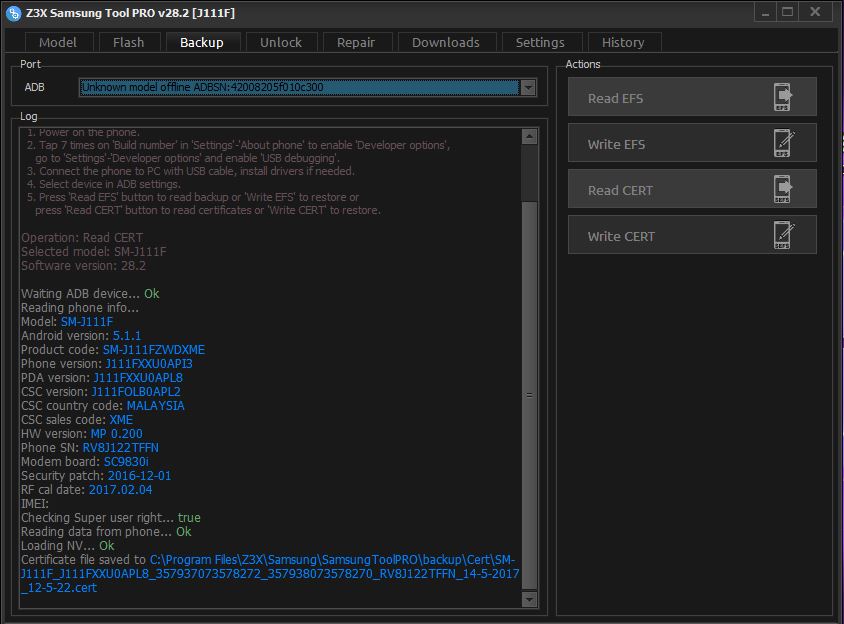
BACKUP INSTRUCTIONS:
Phone must be rooted!
If the software can't root the phone automatically,
then you must root your device manually.
1. Power on the phone.
2. Tap 7 times on 'Build number' in 'Settings'-'About phone' to enable 'Developer options',
go to 'Settings'-'Developer options' and enable 'USB debugging'.
3. Connect the phone to PC with USB cable, install drivers if needed.
4. Select device in ADB settings.
5. Press 'Read EFS' button to read backup or 'Write EFS' to restore or
press 'Read CERT' button to read certificates or 'Write CERT' to restore.
Operation: Write EFS
Selected model: SM-J111F
Software version: 30.2.2
Waiting ADB device... OK
Reading phone info...
Model: SM-J111F
Android version: 5.1.1
Product code:
Phone version:
PDA version: J111FXXU0APC7
CSC version: J111FOLB0APC2
CSC country code: MALAYSIA
CSC sales code: XME
HW version:
Phone SN: R58H52ZB5KK
Modem board:
Security patch: 2016-04-02
RF cal date:
IMEI:
Checking Super user right... true
Extracting EFS file... OK
Converting Img to Ext4... OK
Writing EFS to phone... OK
Rebooting phone... OK
Done with Samsung Tool PRO v.30.2.2