

- Joined
- Mar 24, 2017
- Messages
- 1,066
- Reaction score
- 404
- Points
- 84
- Age
- 37
- Location
- dhaka
- Website
- shamimtel.com
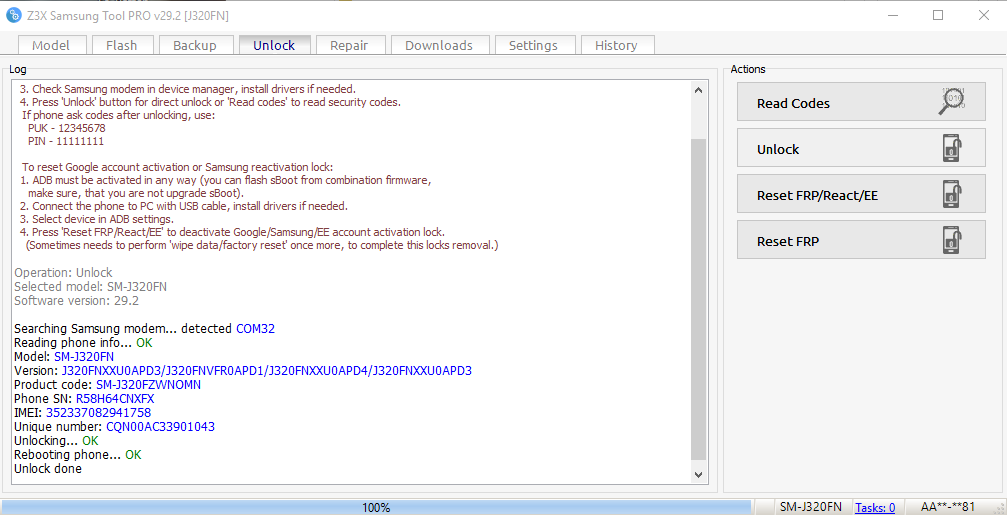
UNLOCK INSTRUCTIONS:
1. Power on the phone.
2. Connect the phone to PC with USB cable.
3. Check Samsung modem in device manager, install drivers if needed.
4. Press 'Unlock' button for direct unlock or 'Read codes' to read security codes.
If phone ask codes after unlocking, use:
PUK - 12345678
PIN - 11111111
To reset Google account activation or Samsung reactivation lock:
1. ADB must be activated in any way (you can flash sBoot from combination firmware,
make sure, that you are not upgrade sBoot).
2. Connect the phone to PC with USB cable, install drivers if needed.
3. Select device in ADB settings.
4. Press 'Reset FRP/React/EE' to deactivate Google/Samsung/EE account activation lock.
(Sometimes needs to perform 'wipe data/factory reset' once more, to complete this locks removal.)
Operation: Unlock
Selected model: SM-J320FN
Software version: 29.2
Searching Samsung modem... detected COM32
Reading phone info... OK
Model: SM-J320FN
Version: J320FNXXU0APD3/J320FNVFR0APD1/J320FNXXU0APD4/J320FNXXU0APD3
Product code: SM-J320FZWNOMN
Phone SN: R58H64CNXFX
IMEI: 352337082941758
Unique number: CQN00AC33901043
Unlocking... OK
Rebooting phone... OK
Unlock done
Done with Samsung Tool PRO v.29.2