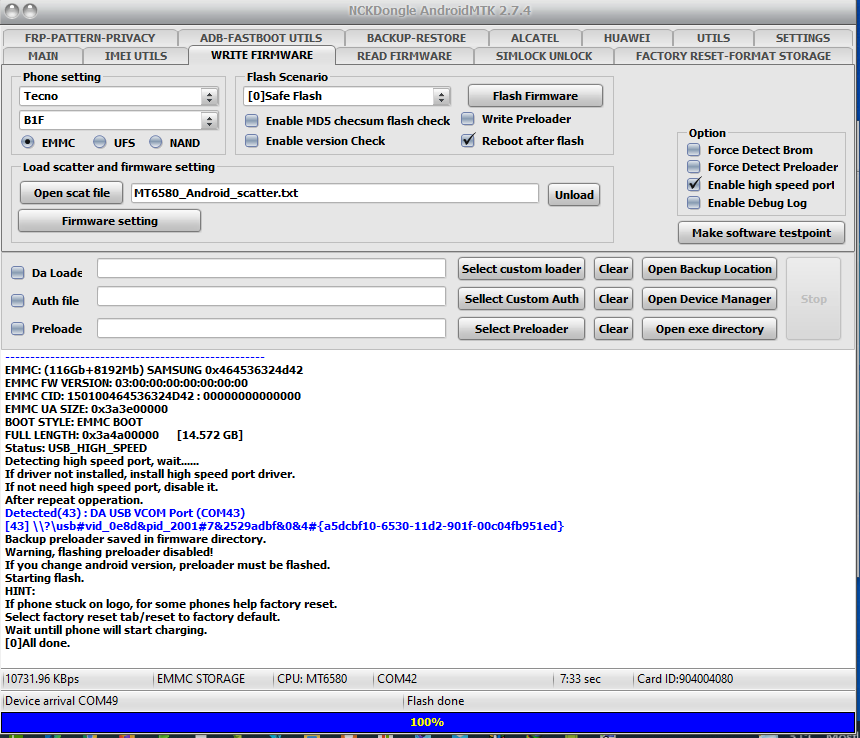
tecno b1f 16+1 da file
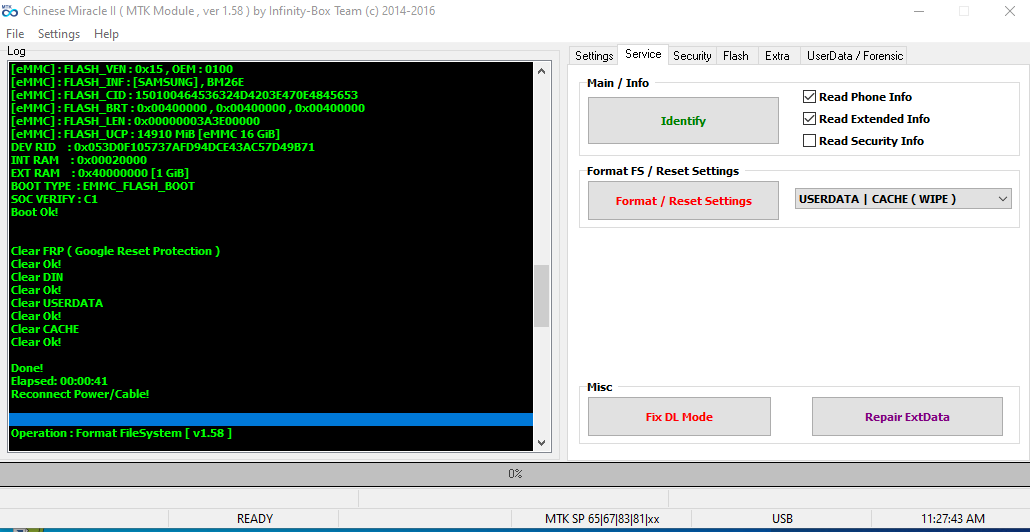
1. Power Off Phone , Remove battery , Insert back
2. Insert USB cable. In some cases require hold BootKey
Wait for phone...
Phone found! [ 42 ]
Sync...
Inital Boot Ok!
BB_CPU_PID : 6580
BB_CPU_NME : [MediaTek] MT6580_S00
BB_CPU_EXT : 0xCA00 , 0x8A00 , 0x0000
Processing BROM stage
Settings for BROM configured!
SecCfgVal : 0x05000000
BromVer : 0x00FF
BLVersion : 0x0001
PreLoader : Active [ Boot with PL ]
BootLdrSS : LOCKED with CERT
Processing DA stage
DA Select done, will use MTK_AllInOne_DA_v3.3001.2017/12/29.10:21_396299
Sending and initialize DA ...
Running DA ver.4.2 on BBID : 0x9C
NAND Flash : NOT INSTALLED
eMMC Flash : 150100464536324D4203E470E4845653
Initialize Memory ...
DRAM already initialized by Preloader
DAgent sent , init HW now
eMMC FlashIC initialized
[eMMC] : FLASH_VEN : 0x15 , OEM : 0100
[eMMC] : FLASH_INF : [SAMSUNG] , BM26E
[eMMC] : FLASH_CID : 150100464536324D4203E470E4845653
[eMMC] : FLASH_BRT : 0x00400000 , 0x00400000 , 0x00400000
[eMMC] : FLASH_LEN : 0x00000003A3E00000
[eMMC] : FLASH_UCP : 14910 MiB [eMMC 16 GiB]
DEV RID : 0x053D0F105737AFD94DCE43AC57D49B71
INT RAM : 0x00020000
EXT RAM : 0x40000000 [1 GiB]
BOOT TYPE : EMMC_FLASH_BOOT
SOC VERIFY : C1
Boot Ok!
Clear FRP ( Google Reset Protection )
Clear Ok!
Clear DIN
Clear Ok!
Clear USERDATA
Clear Ok!
Clear CACHE
Clear Ok!
Done!
Elapsed: 00:00:41
Reconnect Power/Cable!
 drive.google.com
1. Power Off Phone , Remove battery , Insert back
2. Insert USB cable. In some cases require hold BootKey
Wait for phone...
Phone found! [ 42 ]
Sync...
Inital Boot Ok!
BB_CPU_PID : 6580
BB_CPU_NME : [MediaTek] MT6580_S00
BB_CPU_EXT : 0xCA00 , 0x8A00 , 0x0000
Processing BROM stage
Settings for BROM configured!
SecCfgVal : 0x05000000
BromVer : 0x00FF
BLVersion : 0x0001
PreLoader : Active [ Boot with PL ]
BootLdrSS : LOCKED with CERT
Processing DA stage
DA Select done, will use MTK_AllInOne_DA_v3.3001.2017/12/29.10:21_396299
Sending and initialize DA ...
Running DA ver.4.2 on BBID : 0x9C
NAND Flash : NOT INSTALLED
eMMC Flash : 150100464536324D4203E470E4845653
Initialize Memory ...
DRAM already initialized by Preloader
DAgent sent , init HW now
eMMC FlashIC initialized
[eMMC] : FLASH_VEN : 0x15 , OEM : 0100
[eMMC] : FLASH_INF : [SAMSUNG] , BM26E
[eMMC] : FLASH_CID : 150100464536324D4203E470E4845653
[eMMC] : FLASH_BRT : 0x00400000 , 0x00400000 , 0x00400000
[eMMC] : FLASH_LEN : 0x00000003A3E00000
[eMMC] : FLASH_UCP : 14910 MiB [eMMC 16 GiB]
DEV RID : 0x053D0F105737AFD94DCE43AC57D49B71
INT RAM : 0x00020000
EXT RAM : 0x40000000 [1 GiB]
BOOT TYPE : EMMC_FLASH_BOOT
SOC VERIFY : C1
Boot Ok!
Clear FRP ( Google Reset Protection )
Clear Ok!
Clear DIN
Clear Ok!
Clear USERDATA
Clear Ok!
Clear CACHE
Clear Ok!
Done!
Elapsed: 00:00:41
Reconnect Power/Cable!
Tecno B1F 16+1 Flash File 100% Working File Tested.7z
drive.google.com